UNIFINplatform

Solution

Unifin Commodity Exchange Standard

A commodity market needs trust before speed.
The suite runs the exchange process from goods catalogue to receipts and DvP settlement.
The seller gets a price, the buyer goods with documents, the exchange a supervised market.

  • Standard version
  • Terminal workspaces
  • Launch by config
All solutions

Live screens from the product terminals

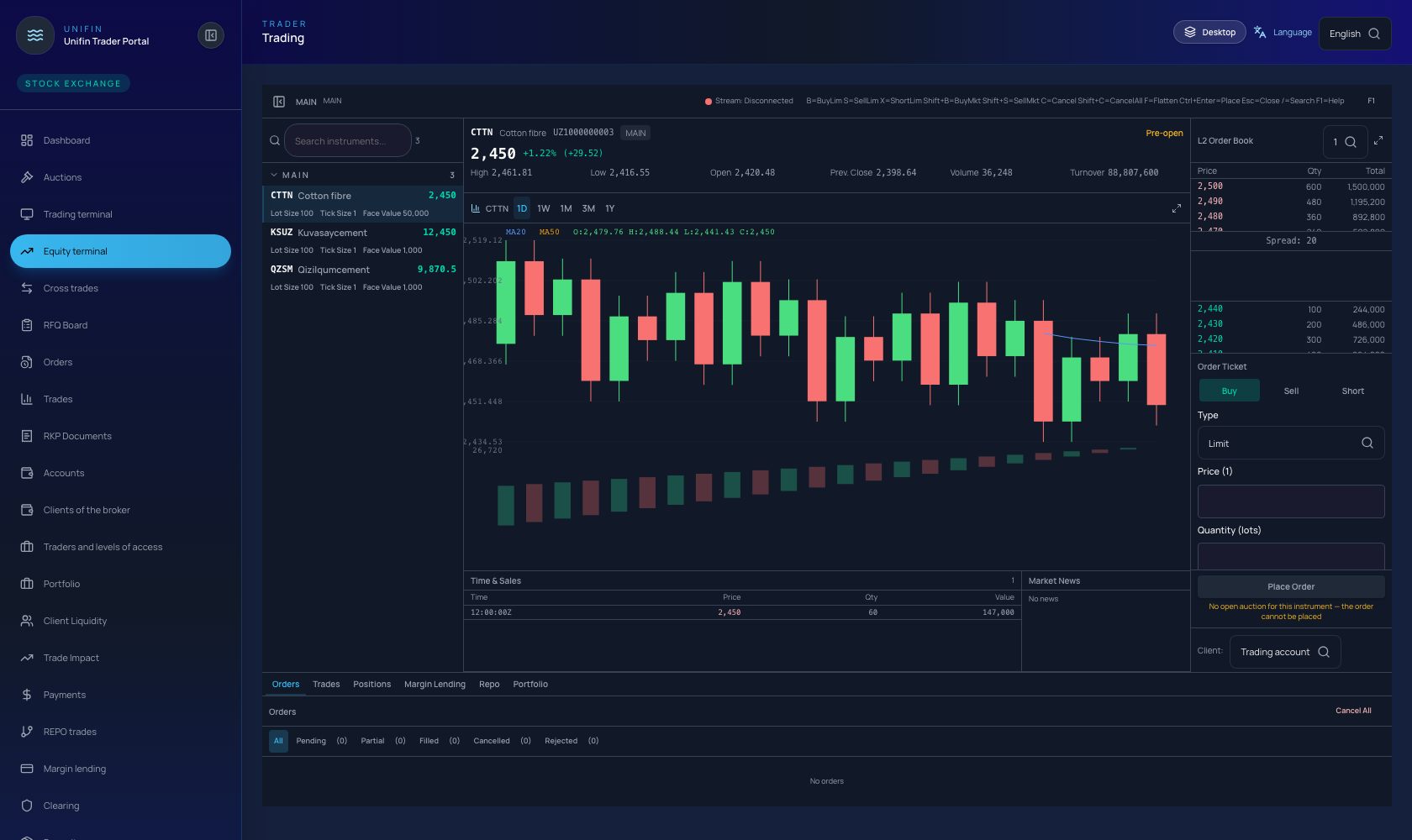
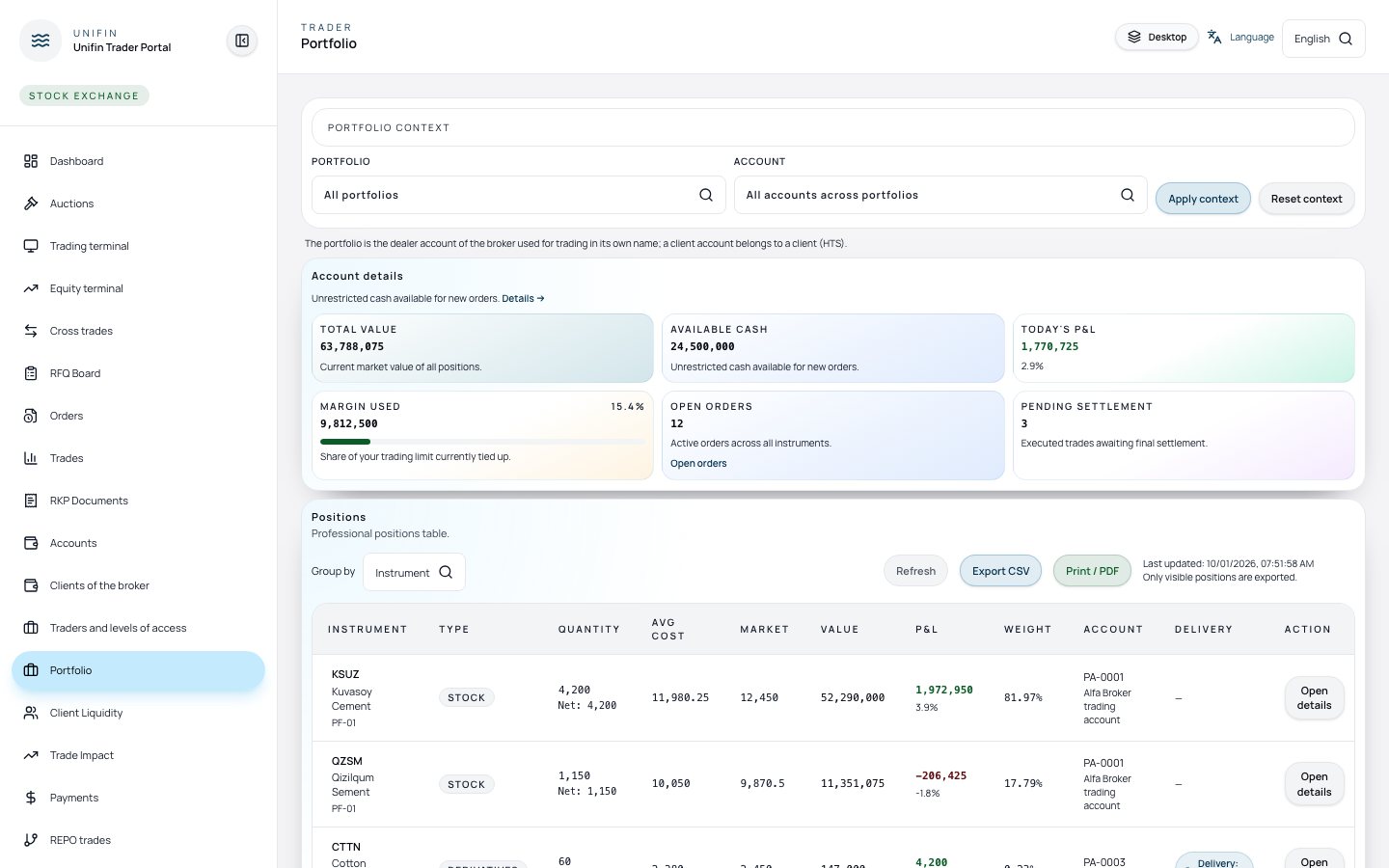
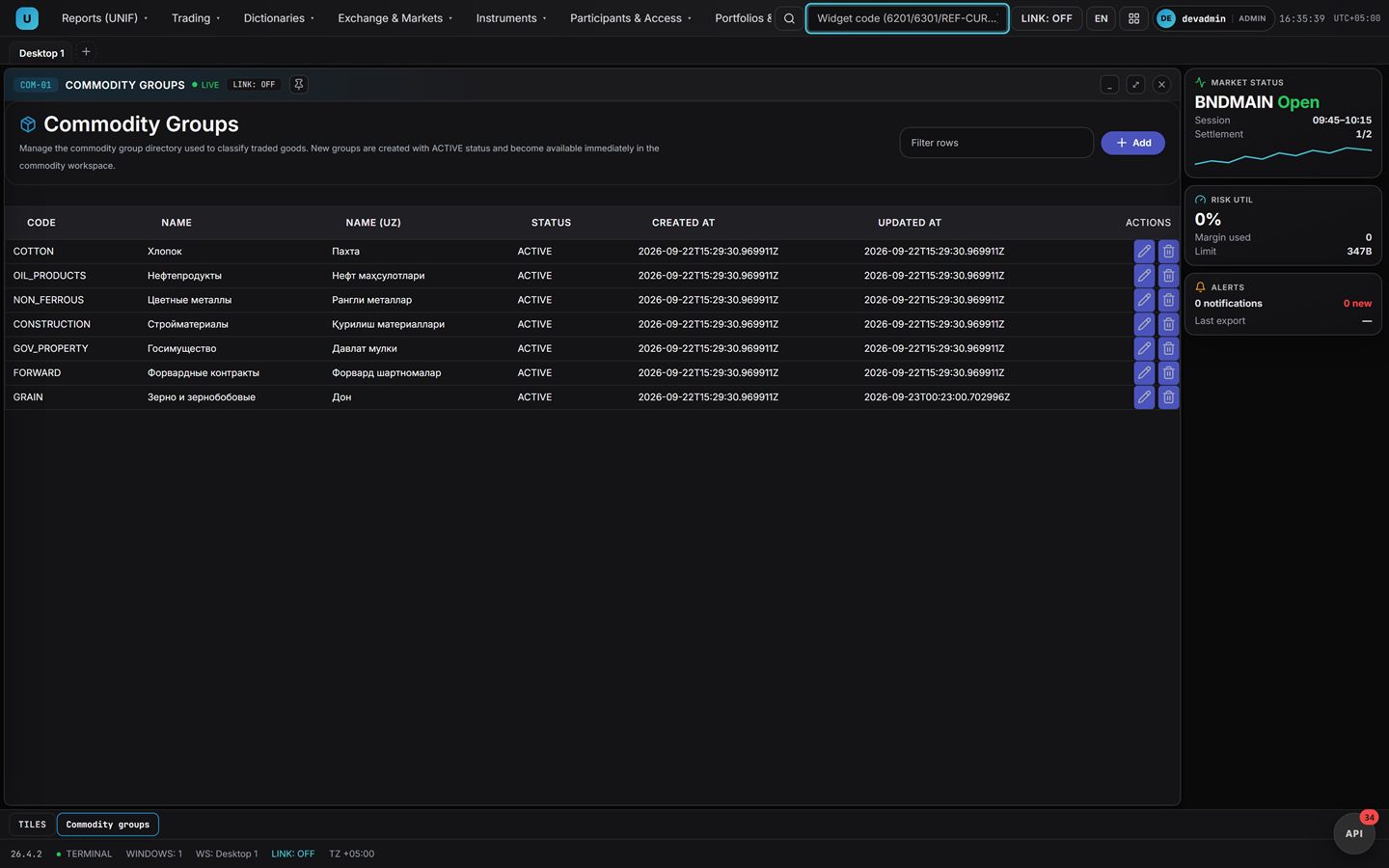
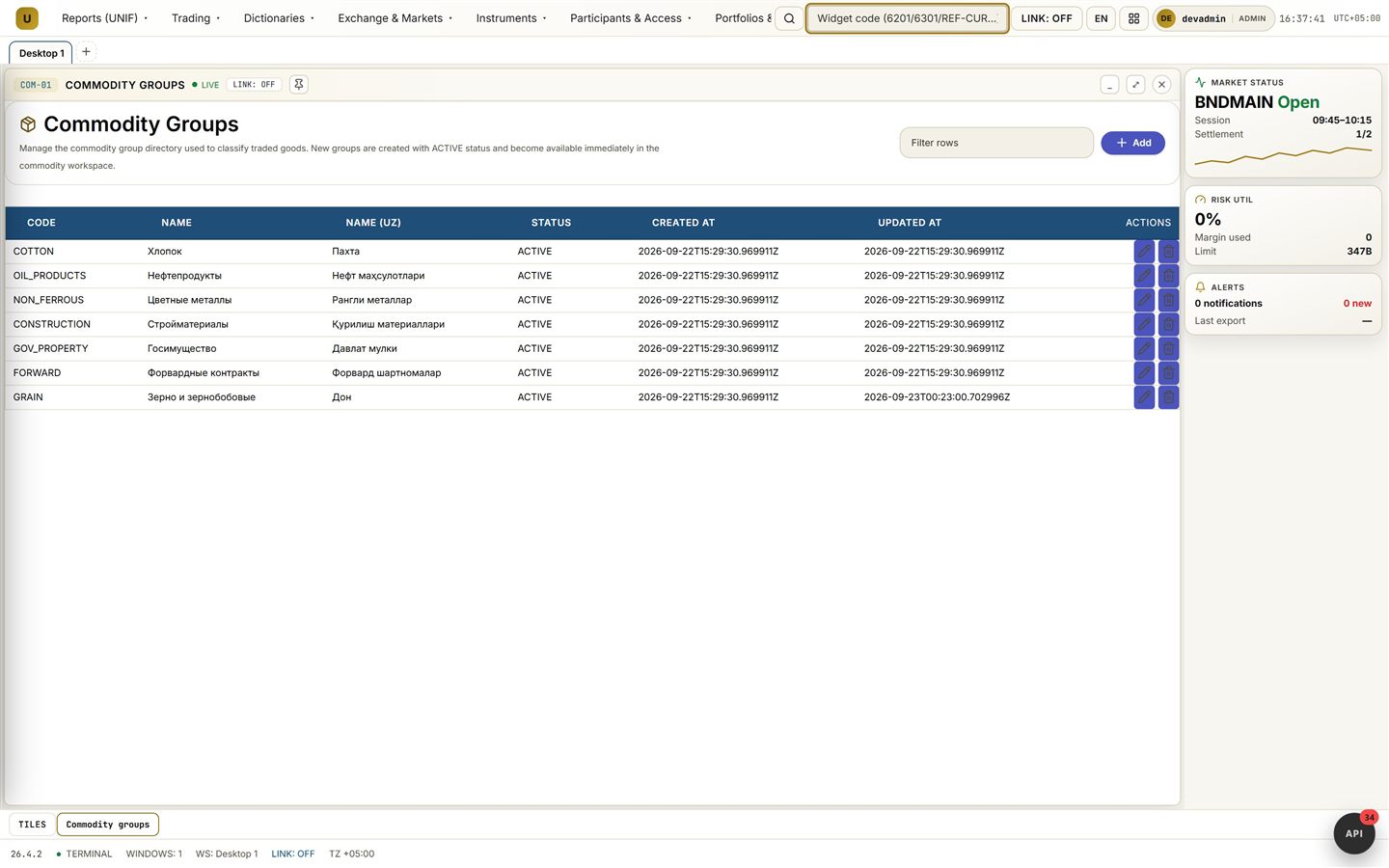
Trader terminal screen with quotes and the order ticket Trader terminal screen with quotes and the order ticket Portfolio screen with margin usage and the positions table Commodity groups and quality classes screen Commodity groups and quality classes screen
Demo Unifin Commodity Exchange Standard
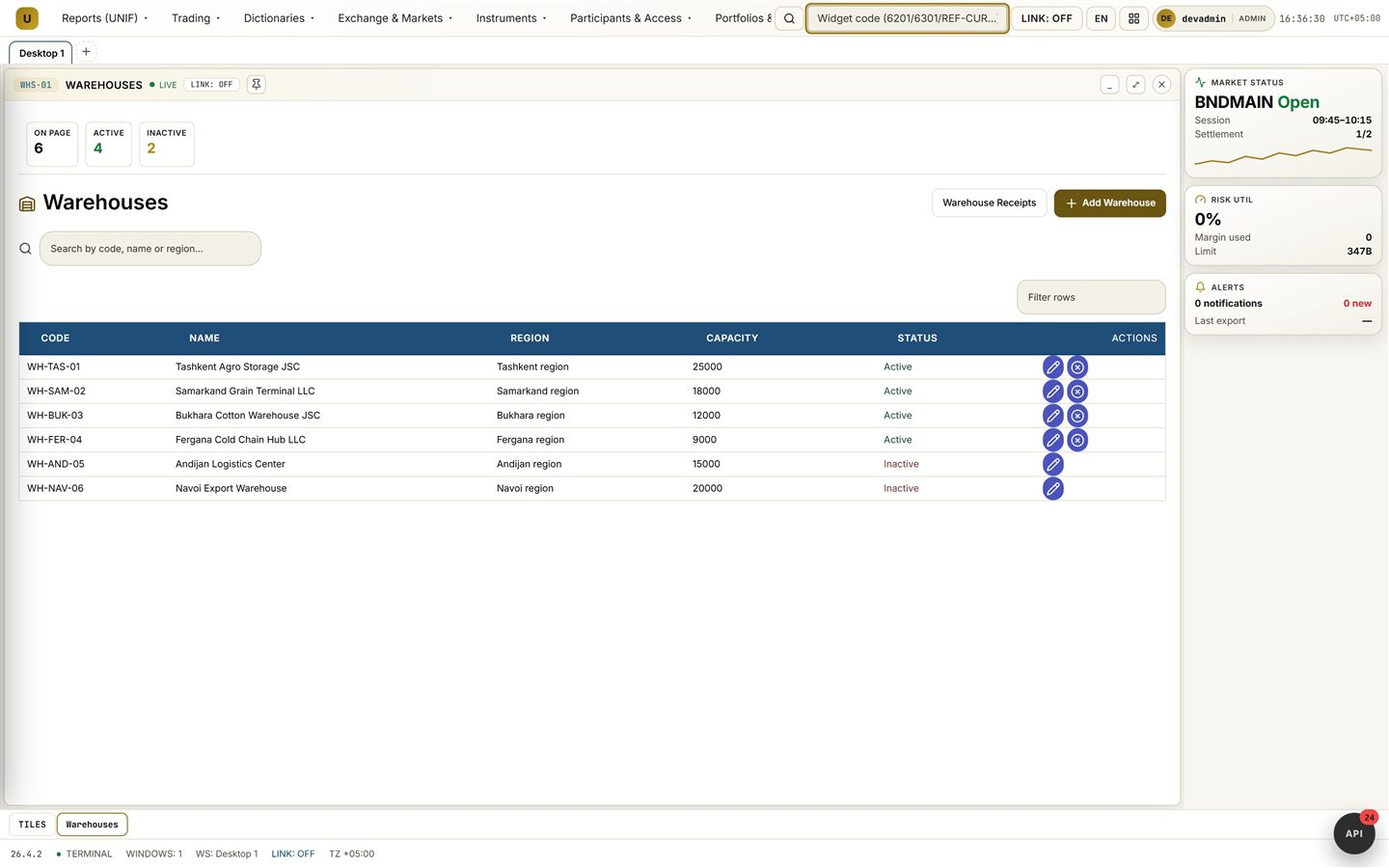
Warehouses
Warehouses: the park, capacities and transitions to receipts
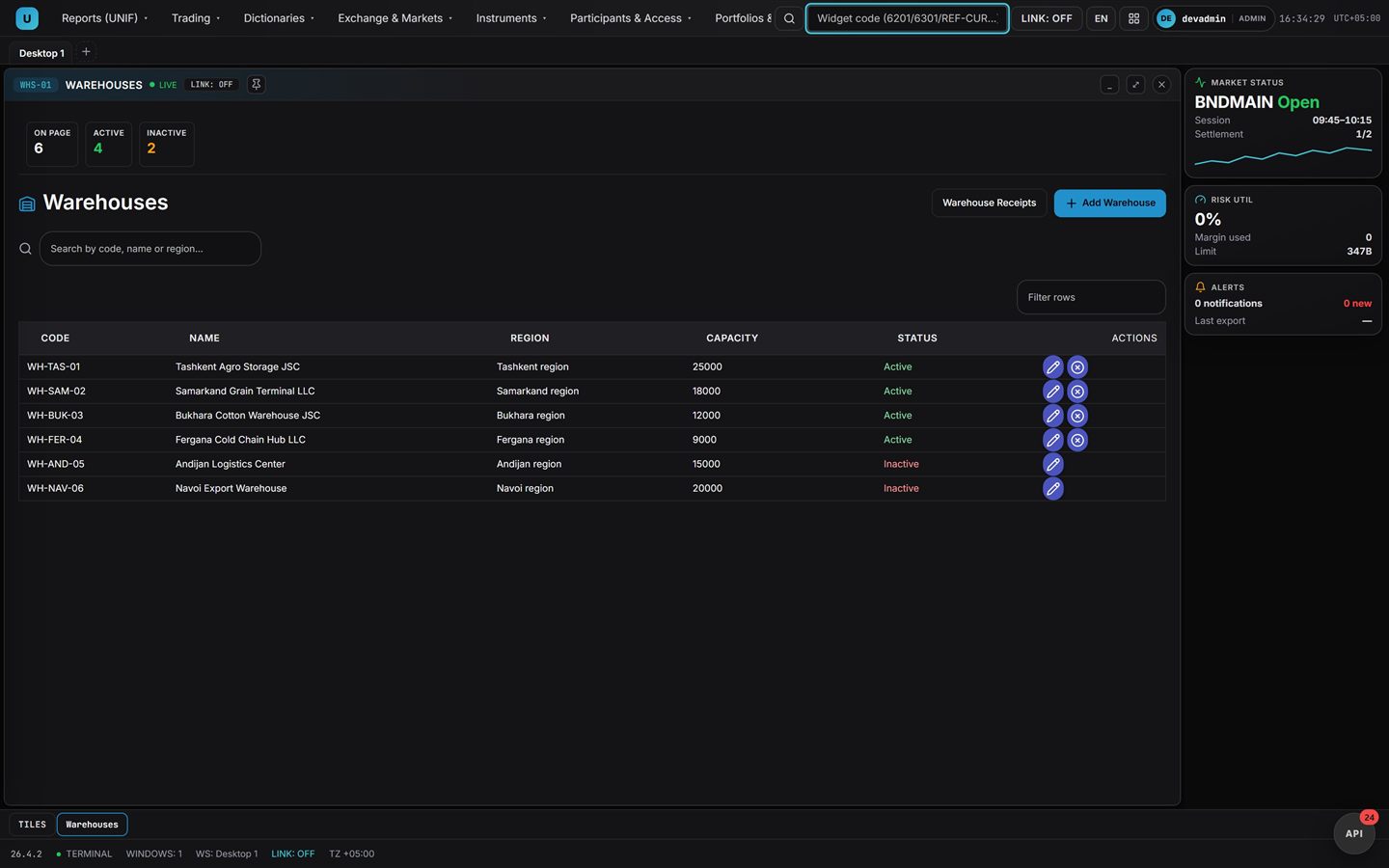
Warehouses
Warehouses: the park, capacities and transitions to receipts

This is an interface demonstration: the real solution will differ in colours and content for a specific project.

Functions at a glance

Business functions at a glance

From the commodity catalogue to indices and tariffs.

Commodity catalogue
Runs commodity groups, quality classes and basises
A new commodity goes in as data, not as a release
Warehouse park
Shows capacities, statistics and balances by warehouse
Warehouse load visible in one list
Acceptance and receipts
Accepts goods and issues receipts with class and term
Every lot described and stored
Auction schedules
Opens auction days from the calendar and modes
Auctions run by schedule, not by a phone call
Deliveries
Runs obligations to shipment and watches the deadlines
An overdue date is visible before it hits
DvP settlement
Closes the money leg against the delivery
Settlement comes out clean with no dispute
Indices and tariffs
Publishes the index and the fee schedules
The market sees a price benchmark

What runs today

The standard suite, already running

The standard commodity suite: the live flow.

Catalogue

The commodity catalogue runs the goods list.

Warehouses

Warehouses and receipts are part of the suite.

Auctions

Auctions and deliveries follow the standard flow.

Settlements

Settlements and tariffs close the cycle.

Launch

The suite launches by configuration on the platform.

Roadmap

Certification packs for new venues are next.

Solution description

Capabilities and overview

Key features

  • Goods catalogue: commodity groups, quality classes and basises
  • Warehouse park: capacities, balances and statistics per warehouse
  • Acceptance and receipts with quality class and validity term
  • Auction schedules from the calendar and trading modes
  • Deliveries: obligations to shipment and deadline control
  • DvP settlement: the money leg against goods delivery
  • Venue indices and fee schedules from a single source
  • Catalogue and quality classes are set by data, without core changes
  • Workspaces on the terminal desks of the platform
  • Roles of the exchange, warehouses and participants
  • Operations journal: every acceptance and delivery with history
  • Reporting across warehouses, auctions and deliveries
  • Deployment: standalone or as part of the UniFin platform

Product overview

Unifin Commodity Exchange Standard is the UniFin platform commodity exchange suite for goods venues and their infrastructure.

The suite runs the exchange process from the goods catalogue and the warehouse park to receipts, auctions, deliveries and DvP settlement.

The seller gets a price, the buyer goods with documents, and the exchange a transparent market with warehouse records.

Auction days open from the calendar and modes, delivery obligations run to shipment, and settlement closes the money leg.

The solution runs on the standard version of the platform and is configured to the rules of the venue.

What it delivers

What the solution delivers

Commodity catalogue

A commodity catalogue usually lives in the spreadsheets of engineers, and a new item waits for a release. The solution runs commodity groups, quality classes and delivery basises as platform data. With the solution a new commodity is added without a project and without waiting for a development window. In setup the groups, classes and basises come as reference data without code changes.

Warehouse park

Warehouse load is usually counted by phone and spreadsheets, and free capacity surfaces imprecisely. The solution shows the warehouse park with statistics, search and capacities and leads to the receipts of the warehouse. With the solution the load is visible in one list, and goods go where there is room. In setup balances and terms are visible for every warehouse, and the warehouse register comes as reference data.

Acceptance and receipts

Acceptance is usually done on paper, and the quality class and the storage term get lost on the way. The solution accepts goods with filters by warehouse and owner and issues receipts with class, tonnage and term. With the solution it is visible what sits in the warehouse and when the storage ends. In setup the acceptance statuses and the receipt history are visible, and the class rules are set in configuration.

Auction schedules

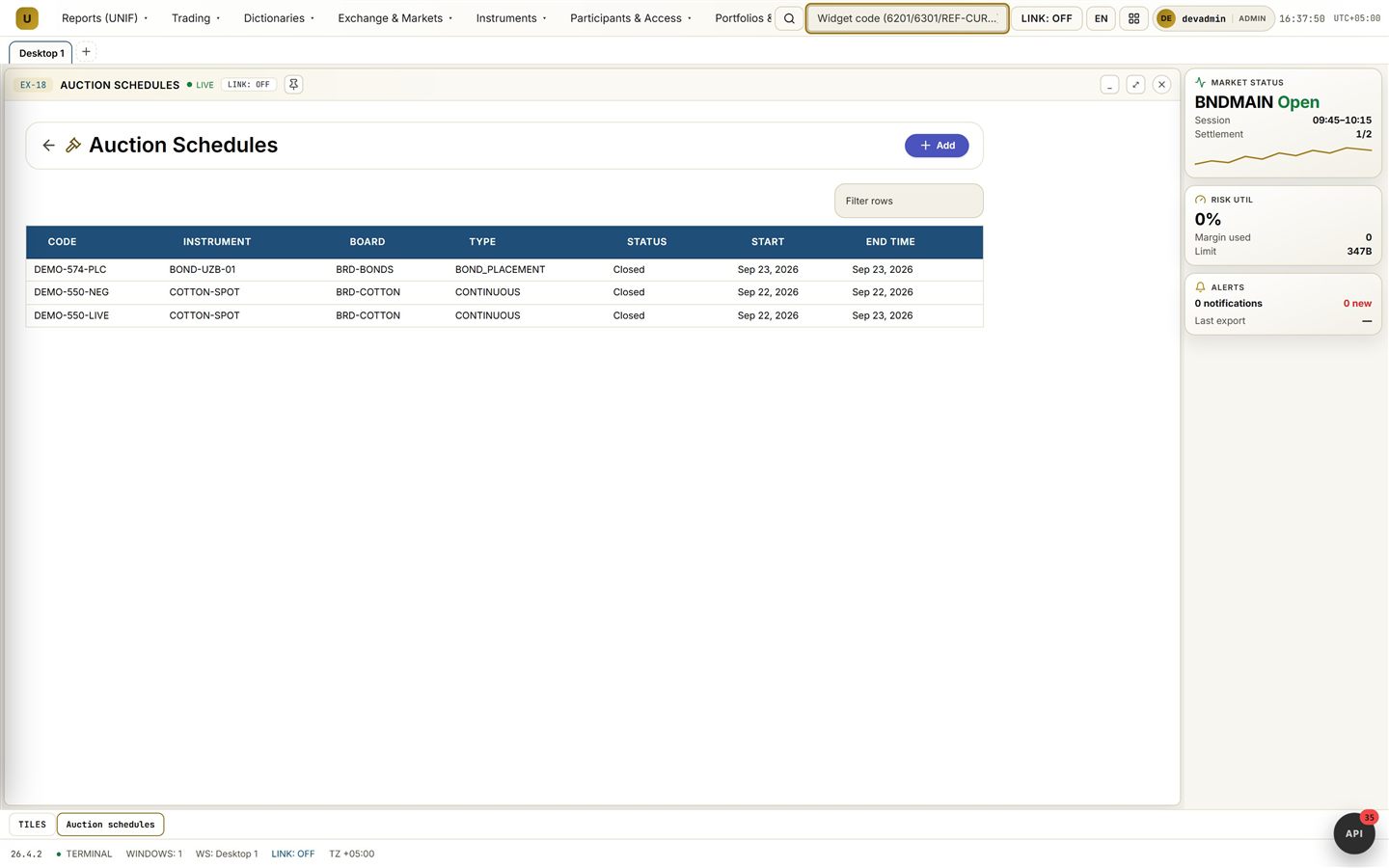
Auctions are usually scheduled by hand, and participants learn the date at the last moment. The solution opens auction days from the calendar and the modes, and the warehouse confirms the goods with a receipt. With the solution auctions run by schedule and gather more participants. In setup the calendar and the day lifecycle are visible, and the modes are configured per segment.

Deliveries

A delivery is usually driven to shipment by letters, and the overdue date surfaces after the fact. The solution runs obligations to shipment and tracks deliveries to the deadline. With the solution deadlines are visible in advance, and failures are not paid for after the fact. In setup the status of every delivery and the audit trail are visible, and the deadline rules come from the setup.

DvP settlement

Settlement usually runs as two transfers, and goods and money drift apart in time. The solution closes the money leg against the delivery: DvP by default, with the money path fail-closed on unknown states. With the solution payment runs against the goods, with no argument at the end of the trade. In setup the state of both legs is visible, and the settlement routes are part of the configuration.

Indices and tariffs

A price benchmark is usually taken from the news, and the venue tariffs live in presentations. The solution publishes the commodity index with its history and the fee schedules of the services. With the solution trading runs from a transparent benchmark, and participants see the cost of services. In setup the index methodology and the schedule composition are visible, and the publication schedule comes as reference data.

Coverage

What it covers

Platform architecture: portal and BFF, gateway, the core with commodity modules, adapters.

Commodity catalogue

Commodity groups, quality classes and basises come as data; instruments reference them.

Warehouses

The warehouse park, goods acceptance and receipts with class, tonnage and storage term.

Auctions

Auction schedules, modes and the auction day lifecycle; the best bid is recorded.

Deliveries

Delivery management to the deadline, shipment and the movement of obligations.

Settlements

DvP settlement of the money legs against the delivered goods.

Indices and tariffs

Index values, their history and the published fee schedules.

Stand

Screens of the solution

Frames come from the terminal workspaces of the standard version and the trading suite. Warehouses, commodity groups, auction schedules, the trader terminal, the auction card and the portfolio.

Warehouse park screen with capacities
Warehouses: the park, capacities and transitions to receipts
Commodity groups and quality classes screen
Commodity groups and quality classes
Auction schedules screen
Auction schedules of the operating day
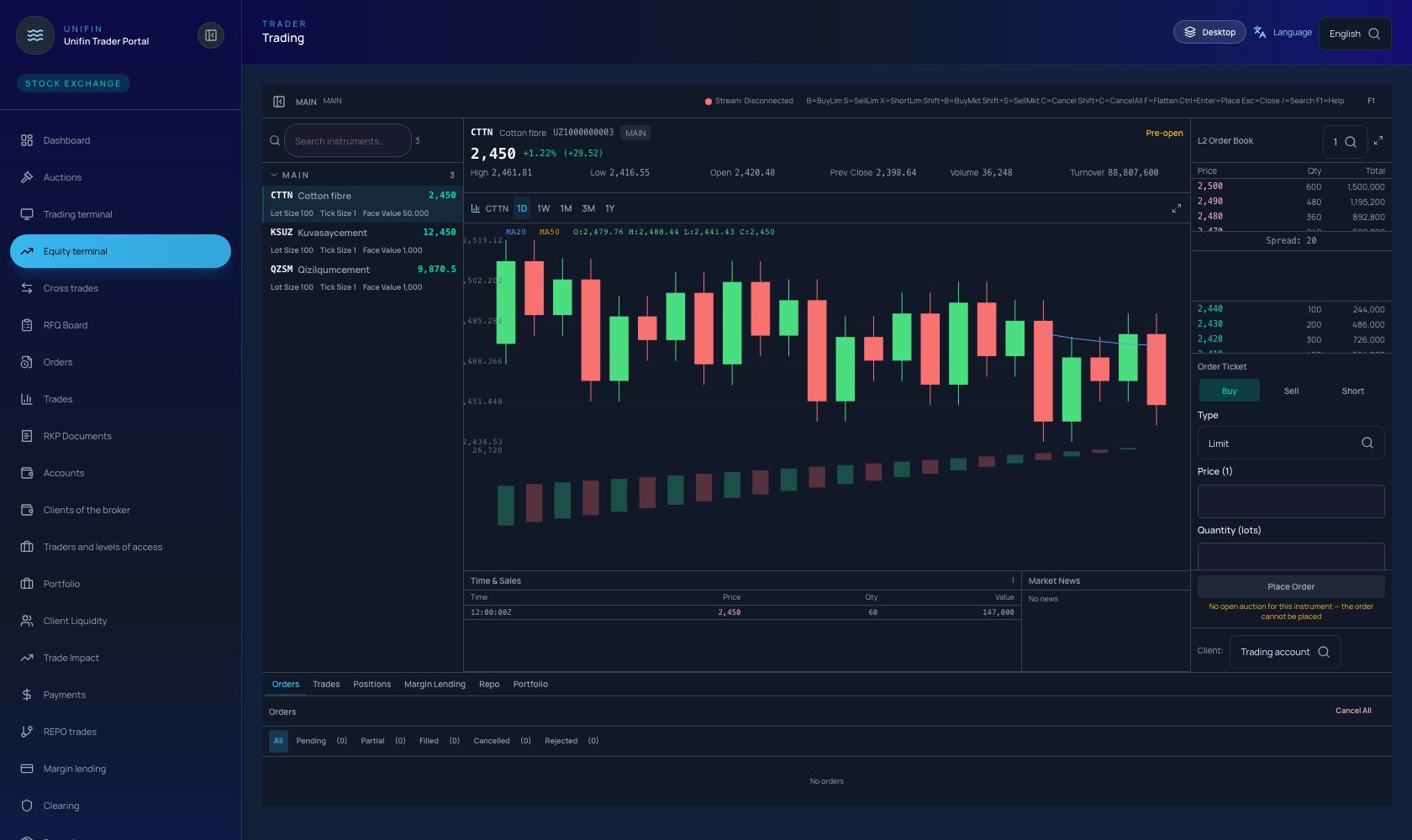
Trader terminal screen with quotes and the order ticket
Trader terminal: quotes, order entry and the tape of the trading suite
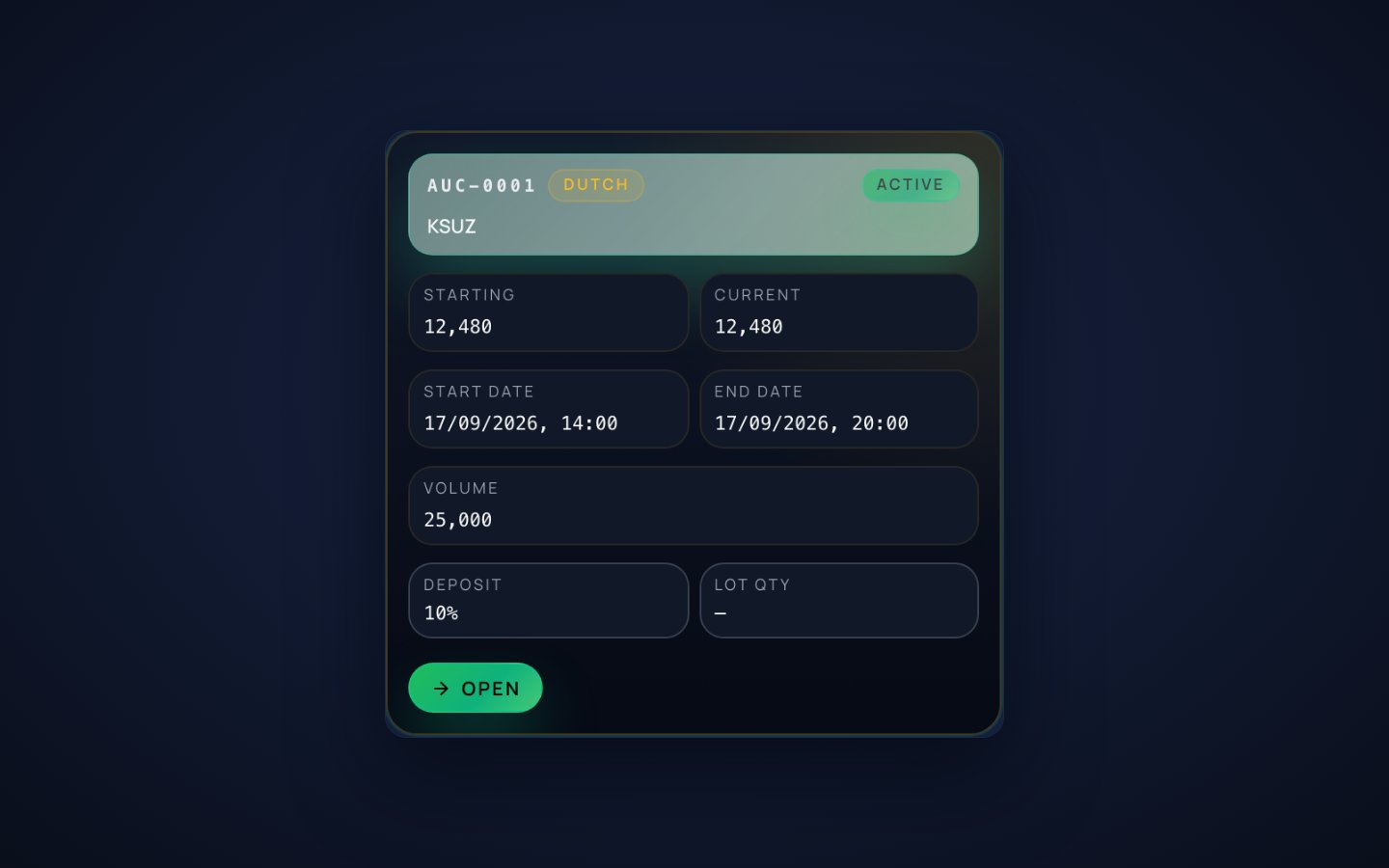
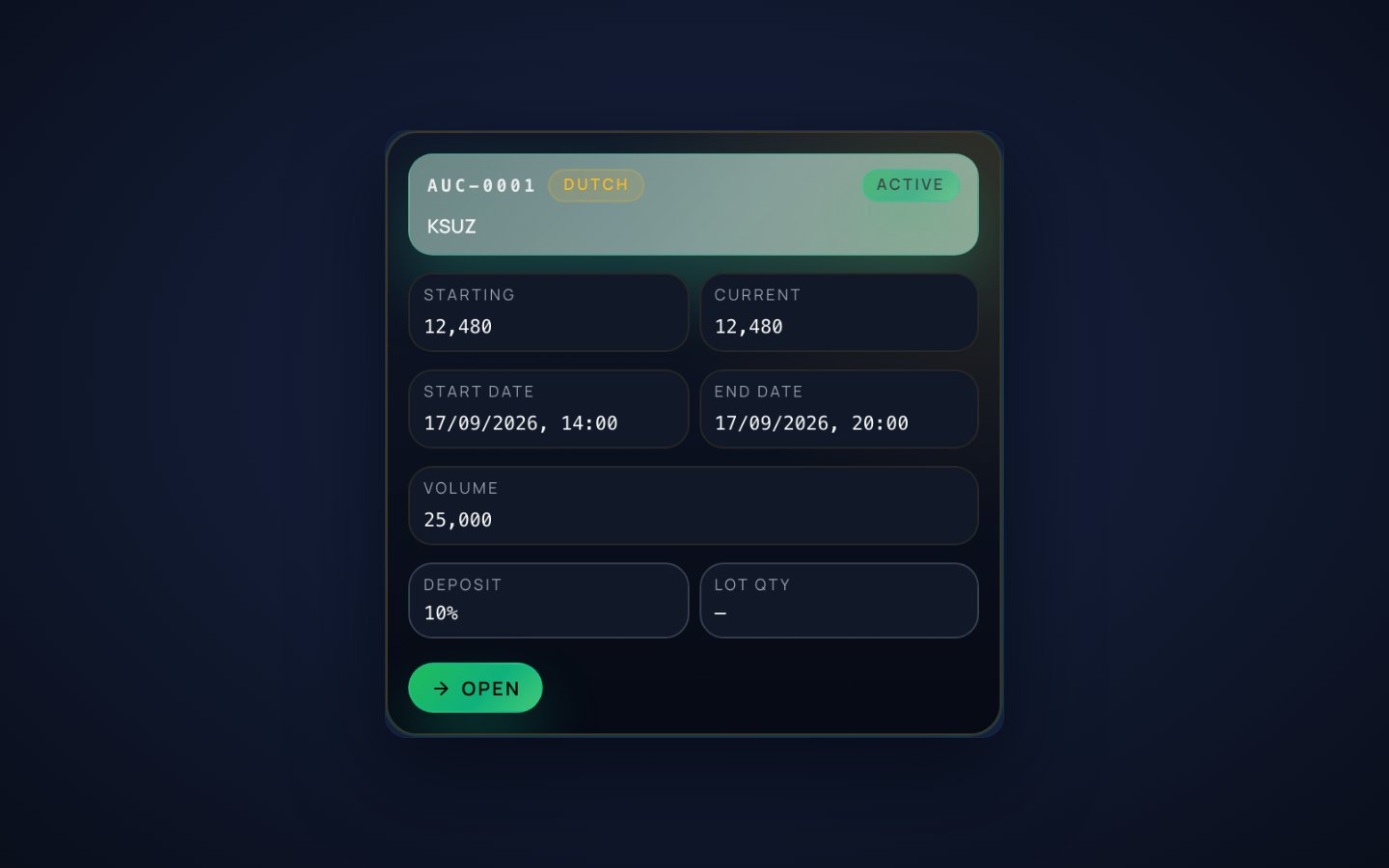
Auction card with the starting price, volume, deposit and the bid window
Auction card: starting price, volume, deposit and the bid window
Portfolio screen with margin usage and the positions table
Portfolio: total value, margin usage and the positions table

How it works

From the catalogue to the settlement in five steps

The path of the goods: catalogue, storage, auction, delivery and settlement.

  1. 1

    The catalogue is set up

    Groups, classes and basises come as data; instruments reference them.

  2. 2

    The goods arrive at the warehouse

    The warehouse accepts goods and issues a receipt with class.

  3. 3

    The auction day runs

    The schedule opens the period; the best bid is accepted.

  4. 4

    The delivery moves

    The obligation moves into delivery and runs to shipment.

  5. 5

    The settlement closes

    DvP closes the money leg; the index publishes the benchmark.

Industries

Industries it serves

The suite works for commodity venues, their warehouses, the producers and the settlement organisations around them.

Architecture

Architecture and access

The standard version runs on the same platform: no separate silo, and the terminal workspaces come as part of the product.

Standard version on the same platform

Portal and BFF, the gateway, the core with commodity modules, a single database, adapters.

Terminal workspaces

All windows live in one terminal desktop: the suite menu, window search and workspaces as tabs.

Budgets of the operating day

Reference windows open instantly, day registers in seconds with paging; exports never block.

External roles stay external

Warehouse operators and settlement organisations connect through adapters and reconciliations: their responsibility is not duplicated.

AI layer

The AI layer drafts lot cards and summarises auction results; people approve every step.

Architecture scheme The same architecture as a standalone page. Open the diagram separately

Readiness

Ready today, next in line

Checked and running; the next wave adds export season documents.

Ready today

  • Warehouse park, acceptance and receipts with quality classes
  • Auction schedules and the auction day lifecycle
  • Deliveries with control to the overdue date
  • DvP settlement of the money legs

Next in line

  • Customs declarations block
  • Extension of the exchange index family
  • Mobile views for warehouse operators (roadmap)

Releases

Release history

Quarterly releases from the foundation of the platform (2020); the commodity suite on the standard version launched in 2026.

2025 Q4

  • Commodity catalogue, quality classes and warehouse receipts go live.

2026 Q1

  • Auction schedules and the auction day lifecycle on the standard core.

2026 Q2

  • Delivery control, DvP money legs and fee schedules.

2026 Q3

  • Terminal workspace of the standard version; commodity indices publication.

Detailed description

Detailed description

The module map, the metrics and the delivery frame.

How the suite is assembled

Channels and clients
FIX 4.2 / 4.4 / 5.0, REST with mTLS, SFTP files, web portals
Edge and access
API gateway with 126 routes, Keycloak single sign-on, WAF and CSP
Platform core services
auction-ms warehouse-ms clearing-ms settlement-ms AI agentic layer Services of the suite on the shared platform core
Data and events
PostgreSQL 17 per service, Redis 7, RabbitMQ 3.13 quorum queues, transactional outbox
Results and reporting
Portals, reports, regulator and partner channels

Technology stack

Runtime and backend: Java 21 (LTS), Spring Boot 3.5.16, Spring Cloud 2025.0.3, Gradle, Flyway 10.15.

Data: PostgreSQL 17 per service, Redis 7 with Sentinel, RabbitMQ 3.13 quorum queues, transactional outbox and DLQ replay.

Portals: Next.js 16.3.3, React 19, TypeScript 5; OpenTelemetry 1.31 to Jaeger.

Delivery: Kubernetes and Helm, Vault secrets, Prometheus and Grafana, Docker Compose for pilots.

Visualisation: Apache Superset 4 and ECharts 5 for dashboards and charts, Grafana for operations panels, Mermaid for documentation schemes and the portal diagrams.

Core market services

  • Trading instruments with contract specifications: units, grades, delivery bases, calendars.
  • Trading calendar and sessions, holidays and windows per instrument group.
  • Participant onboarding: application, documents, admission decision, trading access.
  • Public market data: quotes, trades, reference prices and the rules for their formation.

Standard discipline

  • Quality requirements for deliverable goods and the inspection procedures behind them.
  • Warrant and warehouse rules: what a receipt proves and which warehouse may issue it.
  • Default scenarios: what happens to the deal, the margin and the receipt.
  • Dispute procedures with the exchange commission and deadlines.

Ready integrations

  • Warehouse systems: receipt issue, split, merge, pledge and cancellation.
  • Bank accounts and clearing accounts of participants as adapters.
  • Transport and logistics references for delivery scheduling.
  • Regulatory reporting exports in the formats of the local market.

Architecture

  • Built from the platform core: auction-ms, warehouse-ms, clearing-ms and settlement-ms.
  • The suite works through platform contracts: one register of record, no shadow copies of the data.
  • Scaling adds nodes, not rewrites: stateful services grow with Patroni, RabbitMQ and Redis clusters.

Integrations and access

  • OpenAPI for every service: 978 documented endpoints behind 126 gateway routes, plus webhooks and SFTP where partners need files.
  • Single sign-on: Keycloak 26.1, OIDC and JWT, roles, MFA and API keys with quotas.
  • Evidence by default: the audit journal, idempotency keys on writes and a record for every disclosure.
Detailed description

Leave your contacts to open the detailed description and download the PDF with architecture, cases and delivery details.

Run an auction season on the platform

A scope call is enough: we deploy the commodity suite and run a pilot auction season with your warehouses and your goods.