UNIFINplatform

Solution

Unifin Desktop Kit

A workplace costs less when it is assembled, not developed.
The kit builds terminals from widgets: catalogue, constructor, tabs, themes, white label.
A desk layout changes in a day; logic and audit stay in the platform.

  • Widget constructor
  • Four themes
  • White label
All solutions

Live screens from the product terminals

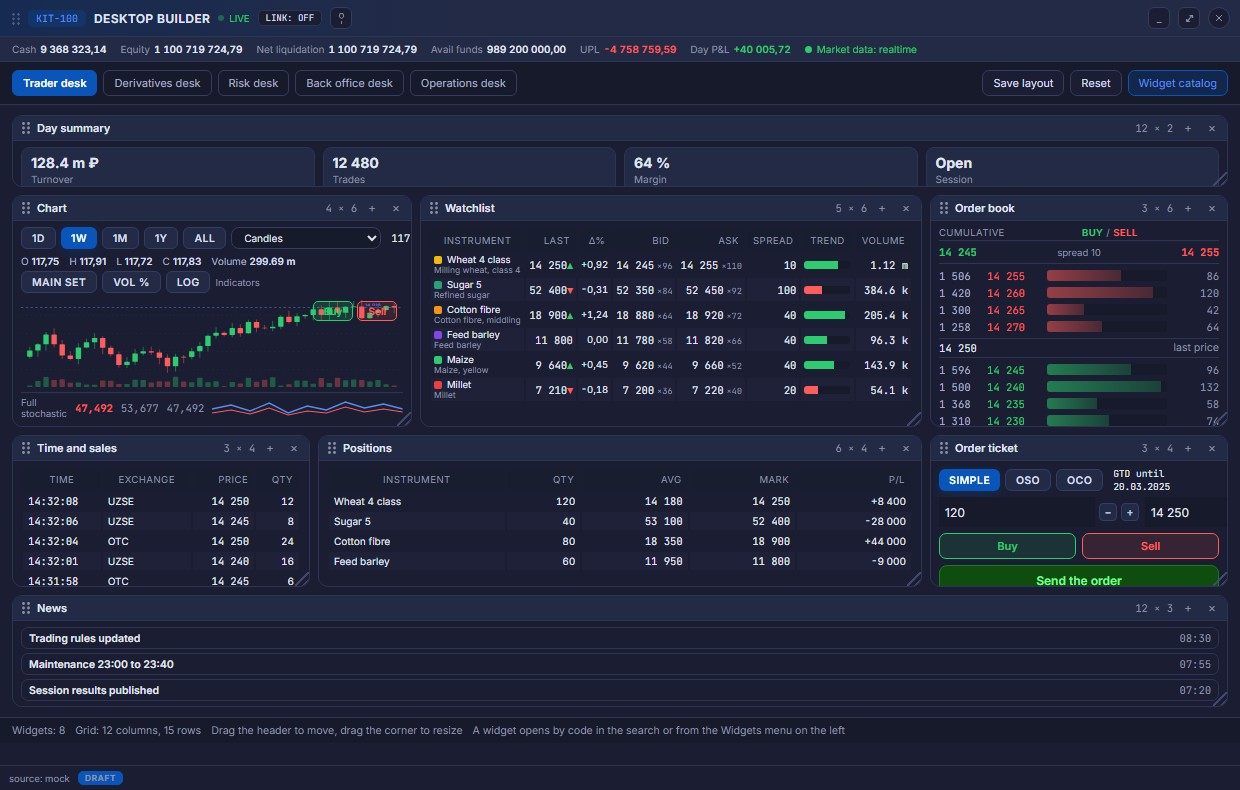
Trader desk in the light theme Trader desk in the dark theme Trader desk in the dark theme Trader desk assembled from widgets Trader desk assembled from widgets
Demo Unifin Desktop Kit Theme Open separately
Desktop builder
Desktop builder

This is an interface demonstration: the real solution will differ in colours and content for a specific project.

Functions at a glance

Business functions at a glance

From the desk shell to white label.

Desk shell
Holds the frame, the tabs and the status bar
A workplace recognised from day one
Window manager
Opens windows by code and from the palette
The right window is found in seconds
Desk constructor
Moves and saves the layout on the grid
The desk adapts to the process
Process tabs
Keeps working processes in separate tabs
Work resumes at the same place
Widget catalog
Describes widgets by logic and sources
A new function arrives as a widget
Tokens and themes
Paints the interface in four palettes
The theme changes without rewriting windows
White label
Sets the brand and the module set of an installation
The product ships under your own name

What runs today

Assemble, not develop, already running

Assemble, not develop: the live kit.

Shell

Shell chrome and the window manager assemble the desk.

Widgets

The widget catalogue and constructor build terminals.

Tabs

Tabs keep several desks in one workspace.

Themes

Tokens and four themes keep the brand.

White label

White label ships under the client brand.

Roadmap

More widgets come with each release.

Solution description

Capabilities and overview

Key features

  • Desk constructor: layout on the grid and saving
  • Widget catalogue with logic and data sources
  • Window manager: opening by code and from the palette
  • Process tabs on one desk
  • Four themes in the corporate palettes
  • White label: the brand and module set of an installation
  • Component library: tables, forms, charts
  • Data and events from platform services
  • Desks for trading, risk, back office and the operations shift
  • Desk assembly by configuration, without development
  • Journal and audit of actions in the workspace
  • Runs within the UniFin platform

Product overview

Unifin Desktop Kit is the UniFin platform workspace engine for venues and financial teams that need terminals under their own brand.

The kit builds terminals from widgets: catalogue, constructor, tabs, themes and white label.

A desk layout changes in a day, while logic, data and audit stay in platform services.

The catalogue describes widgets by logic and sources, and components are reused across workspaces.

The solution runs within the UniFin platform and is deployed by configuration for working roles.

What it delivers

What the kit delivers

Desk shell

Workplaces are usually developed per department, one by one. The kit gives the desk frame with tabs and a status bar as the product shell. With the solution the workplace is familiar from the first day of the installation. In setup the shell composition and the statuses are visible, and the access roles come as reference data.

Window manager

Windows usually open from deep menus, and the right one takes minutes to find. The kit opens windows by code, from the palette and from the widget menu. With the solution reaching the needed screen takes seconds. In setup the window catalog and the codes are visible, and the menu groups are set in configuration.

Desk constructor

A layout is usually ordered from development and waits a sprint. The kit moves and saves widgets on the grid by dragging. With the solution the desk is tuned for a process in one day. In setup the saved layouts and role templates are visible, and the grid comes as reference data.

Process tabs

Working processes usually mix in one window. The kit keeps trading, back office and operations in separate workspace tabs. With the solution work resumes at the same place after a break. In setup the window sets of every tab are visible, and the template composition comes as reference data.

Widget catalog

New functions usually wait for a release of the whole terminal. The kit describes widgets by logic and data sources. With the solution functions arrive as widgets, and the desk is not rewritten. In setup the catalog groups and codes are visible, and the group composition comes as reference data.

Tokens and themes

Themes are usually hard-coded into every screen, and repainting drags on. The kit holds colour, typography and density as tokens. With the solution the look of the desk changes without rewriting windows. In setup the palettes and the variables are visible, and the modes are configured per segment.

White label

Branding usually turns into a separate restyling project. The kit sets the product name, accent, theme and module set as installation settings. With the solution the desk faces the client under the own brand out of the box. In setup the installation settings are carried into the delivery, and the module list comes as reference data.

Coverage

What it covers

One widget works in trading and back office: the data is shared.

Shell chrome and window manager

The frame of the workspace, tabs, the window manager and the launcher palette.

Tabs

Workspaces as tabs with window sets; the set restores by role.

Constructor

The 12-column grid, drag and drop, resizing and reset.

Widget catalog

Trading, back-office and operations widgets with codes, groups and descriptions.

Component library

Buttons, fields, tables, badges, bars, toasts and banners with their states.

Tokens and themes

Colour, typography, spacing, radius and motion as variables; four theme modes.

Data and events

REST and platform events, widget subscriptions and the local state of the layout.

Business value

A workspace kit that pays back on every desk

A ready desktop kit for financial systems: assemble terminals for trading, risk and operations by configuration.

Configure, do not develop

A new desk is assembled from widgets in a day, without a development project.

One brand everywhere

Themes and white label make every installation look like the customer.

Reuse across products

One shell and component set serve every UniFin solution on the platform.

Consistent quality

Tables, forms and charts behave the same on every screen and theme.

Faster onboarding

Operators learn one workspace instead of a different tool per module.

Lower cost of change

A layout or theme change is a setting, not a rebuild.

  • widgets and constructor
  • four themes
  • white label
  • one sign-on
  • token driven

Inside the kit

What the kit gives teams

Unifin Desktop Kit is the shared workspace engine of the platform. It holds tokens and palettes, an own icon set, a component library, the desk shell and a widget catalogue.

It is the single source of truth for classes and themes, so a change lands once and every product follows.

The workspaces shown are examples: different terminals assembled on the same kit, not a fixed set of screens.

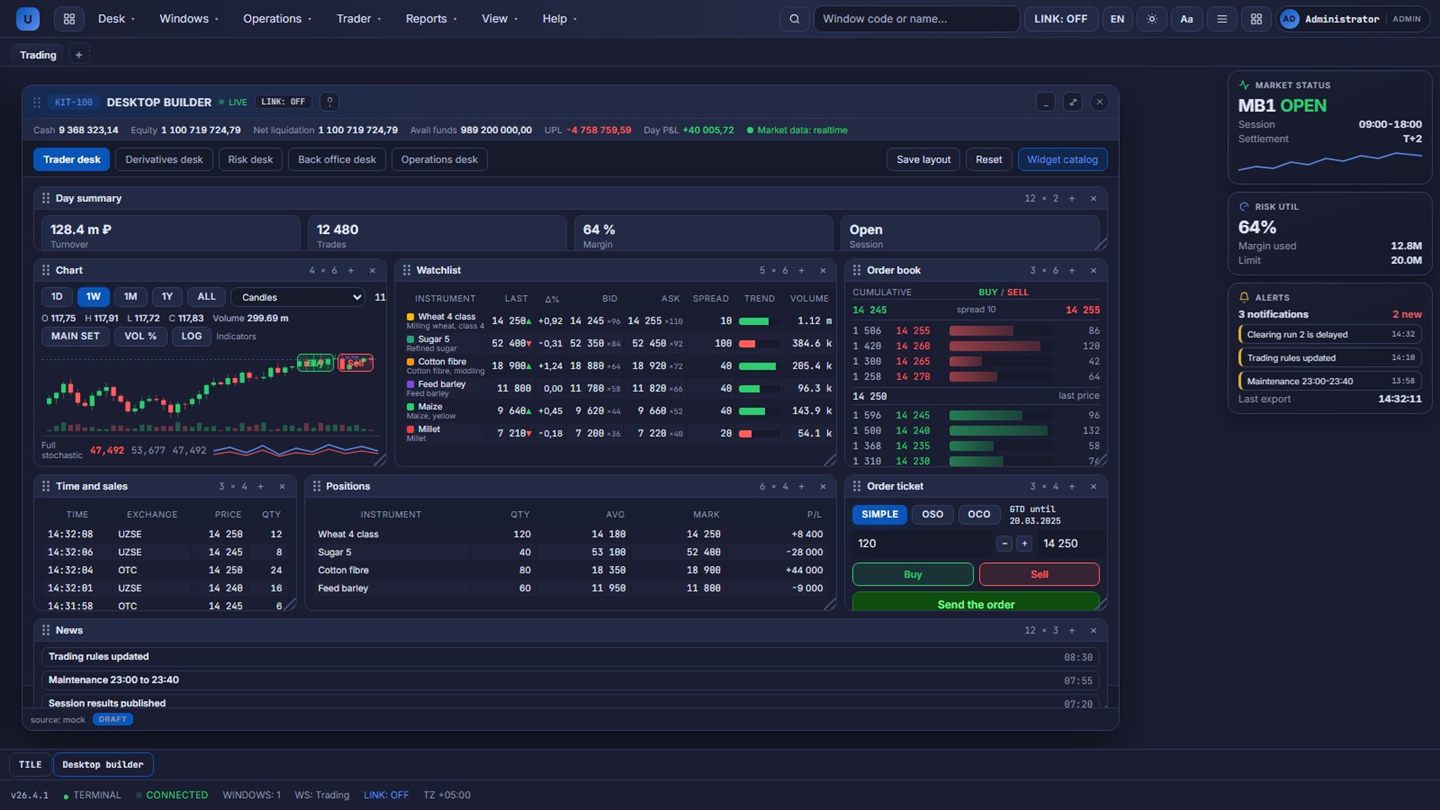
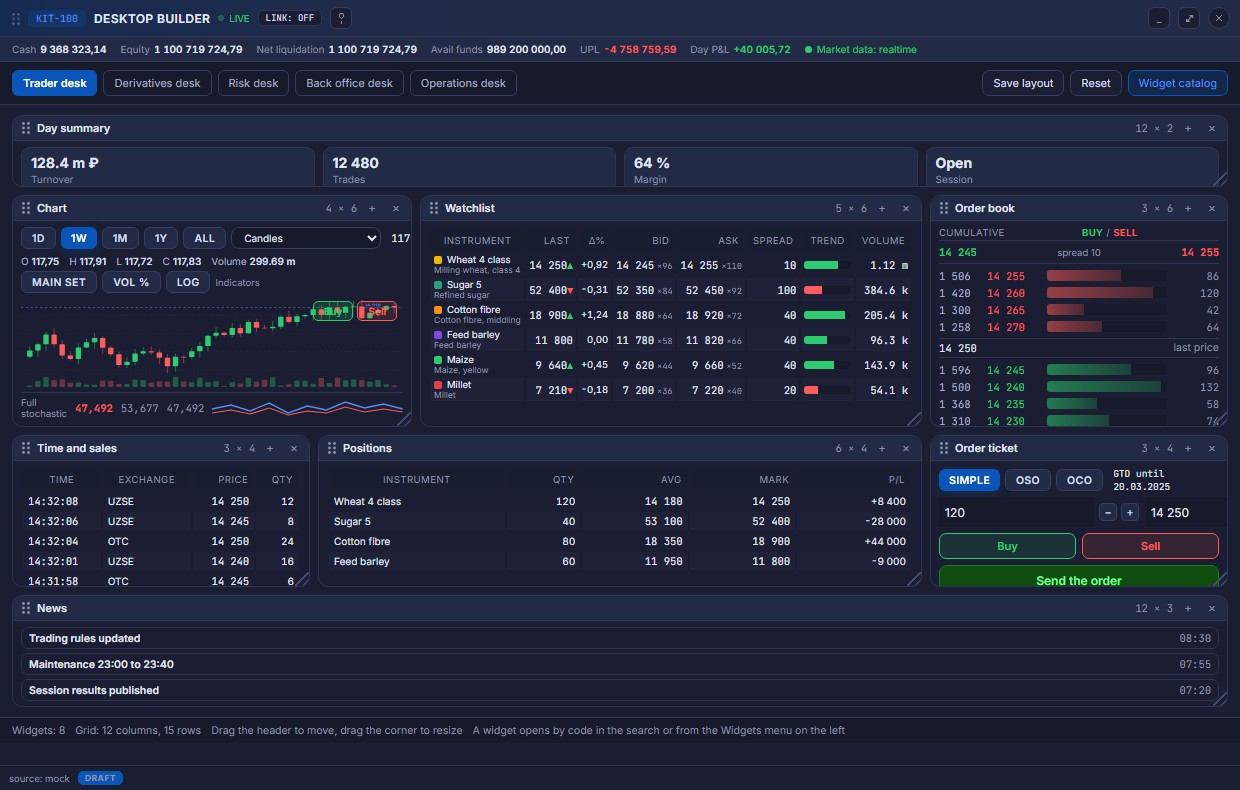
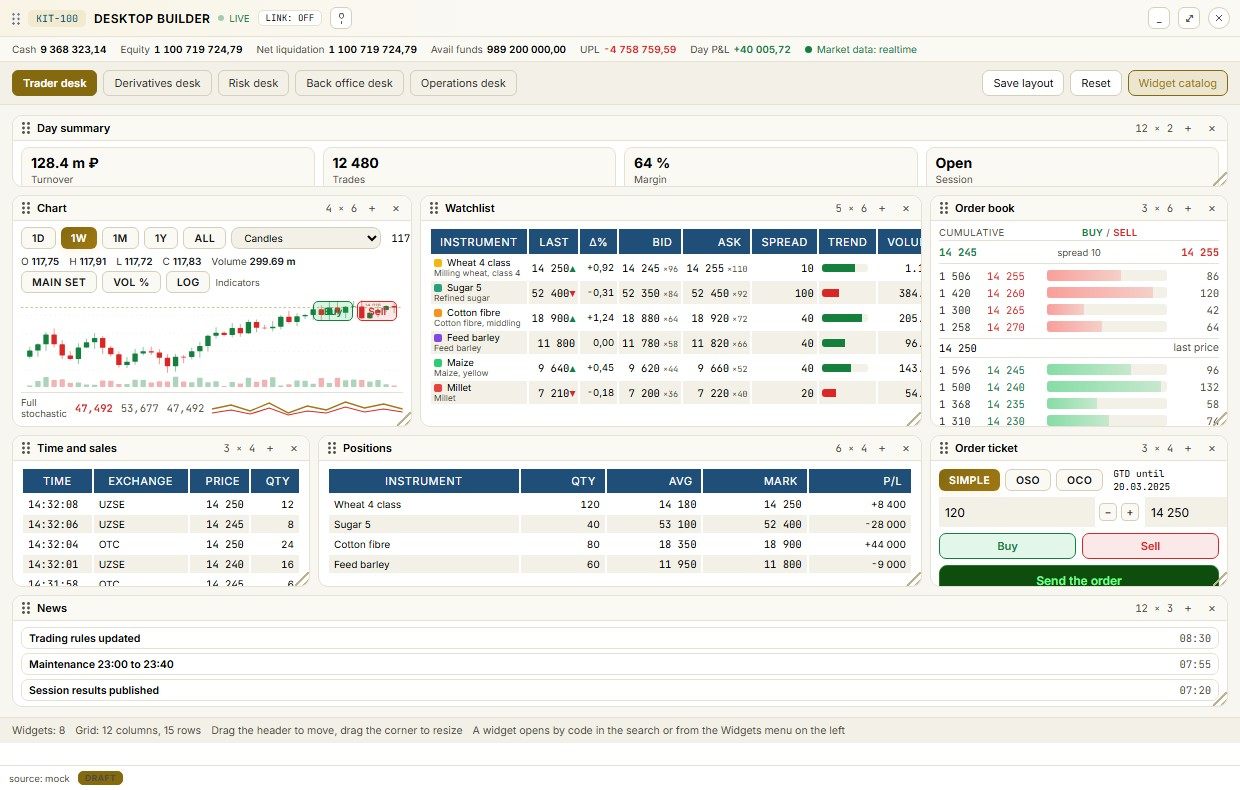
Trading desk assembled from kit widgets
Example: a trading desk assembled from kit widgets.
The same desk in the light office theme
Example: the light theme and density, changed by tokens.
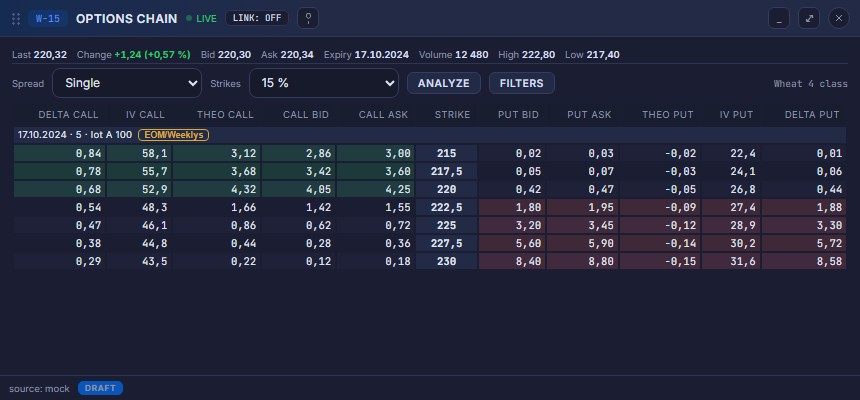
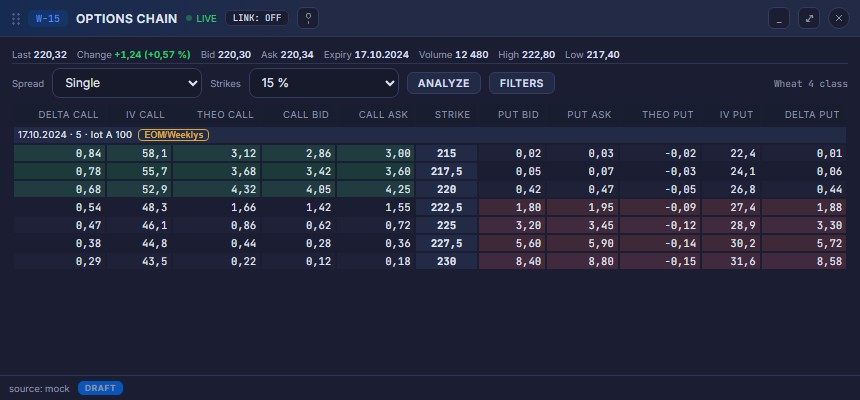
Option board workstation
Example: an option board built on the same components.
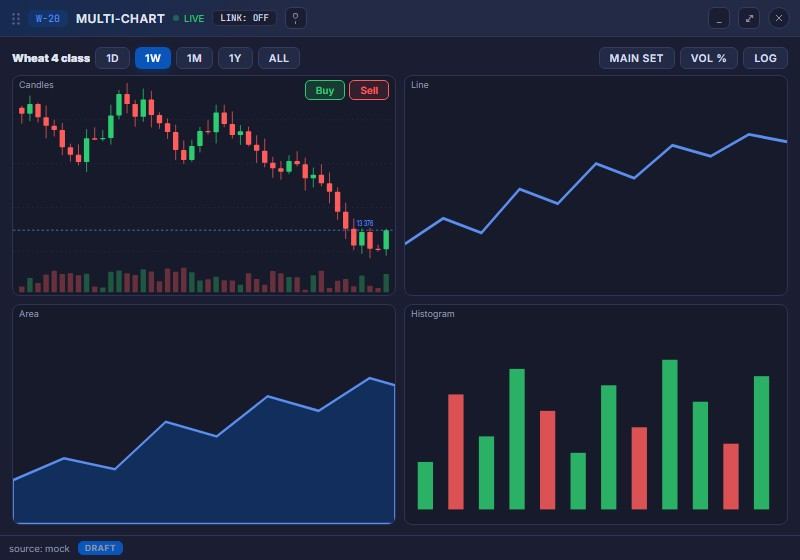
Multiple charts on one desk
Example: a multi-chart workspace from the kit grid.

Stand

Screens of the solution

A trader desk from widgets, the dark and light themes, and the option board workstation.

Trader desk assembled from widgets
Trader desk from widgets: day totals, chart, order book and positions
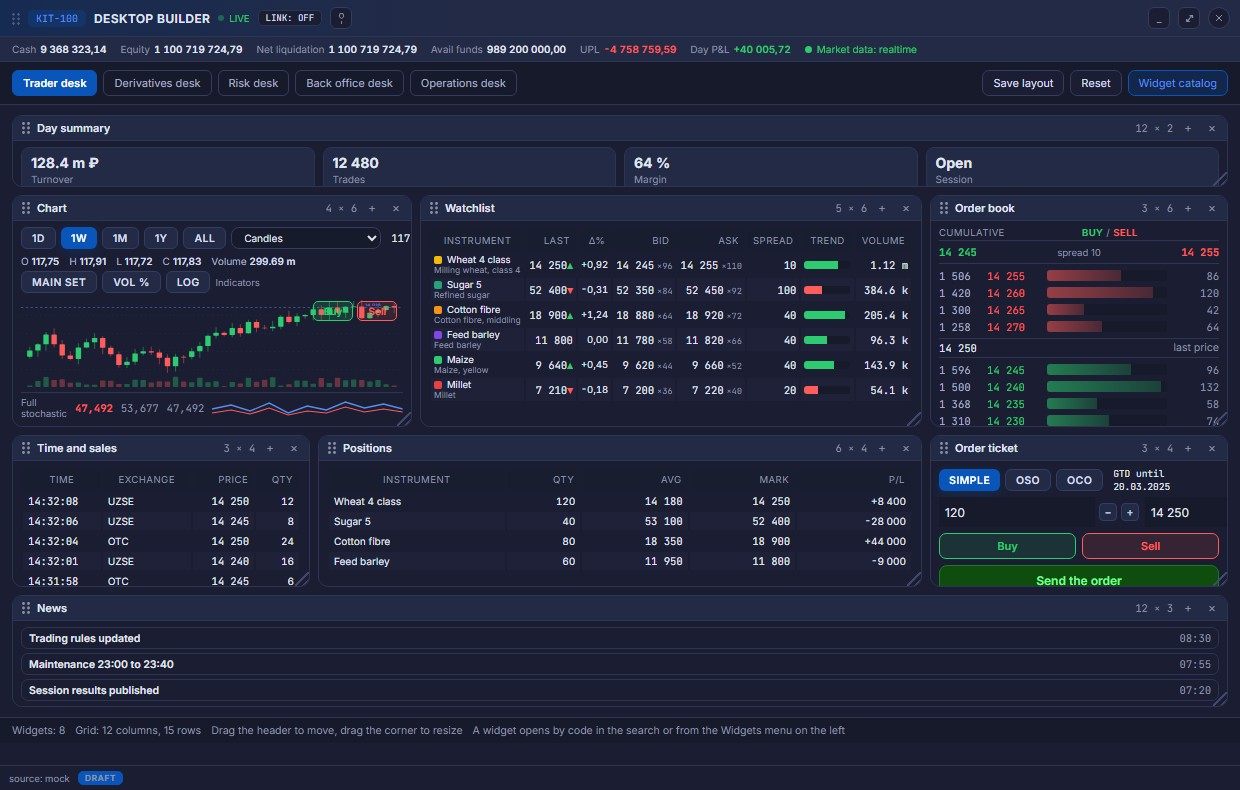
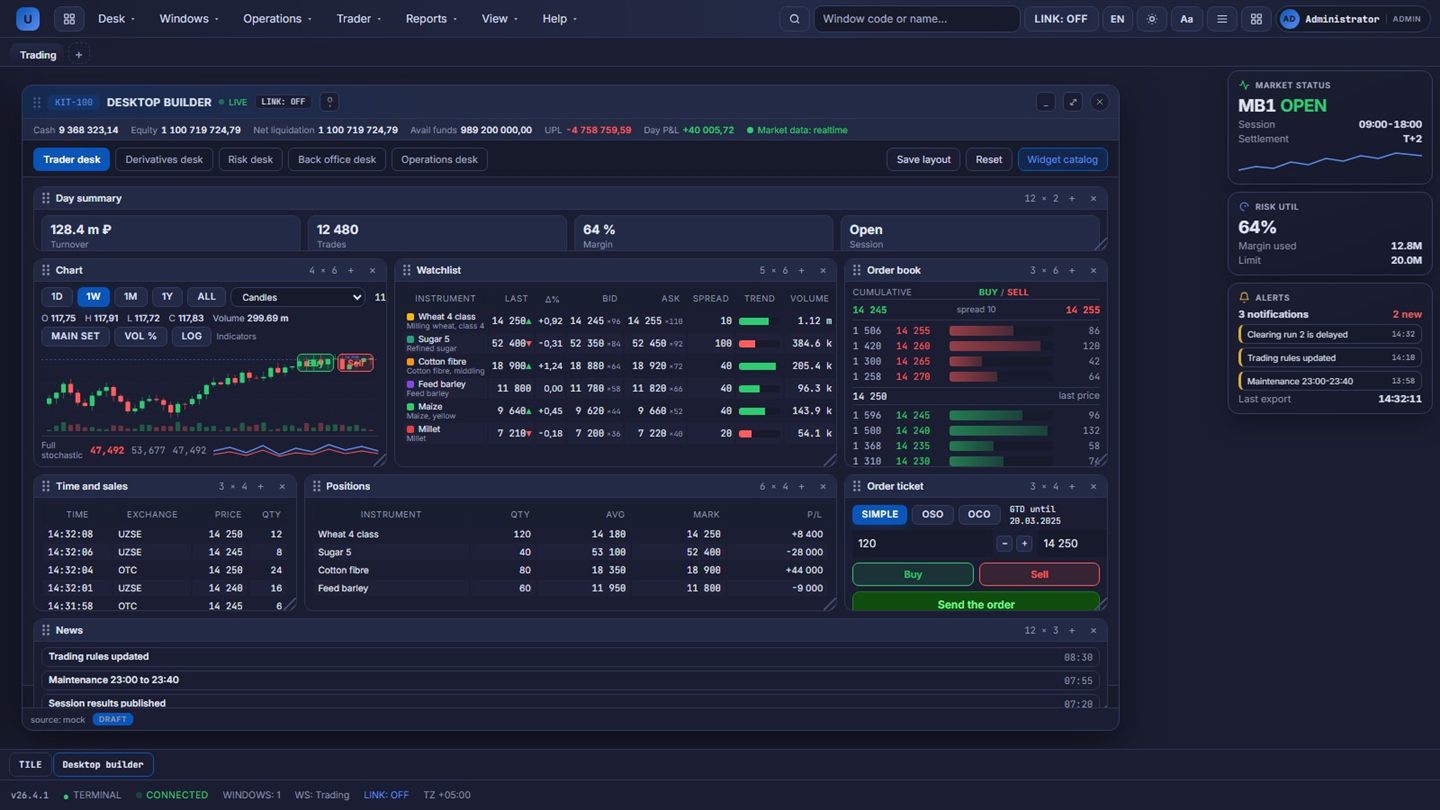
Trader desk in the dark theme
The same desk in the dark terminal theme
Trader desk in the light theme
Light office theme: the same layout
Option board workstation
Option board: summary, greeks and theoretical price

How it works

From the role template to the client installation in five steps

The workspace path: template, widgets, layout, tabs, branding.

  1. 1

    The role template opens the desk

    The starting layout applies in one click for every role.

  2. 2

    Widgets are called by code

    The code or the name opens the window; the palette too.

  3. 3

    The layout is built by dragging

    Widgets move on the grid and resize; the layout saves.

  4. 4

    Tabs keep the processes apart

    Each workspace lives in its tab; the set restores on login.

  5. 5

    White label goes to the client

    Name, accent, theme and modules are set for the installation.

Industries

Industries it serves

The kit serves venues, brokers, depositories and fintech teams that need operator and trader workplaces under their own brand.

Exchange / venue

Trading, supervision, market data and post-trade on one governed core, launched by configuration.

Broker / investment firm

Client access and risk control on the same rails as the venue: terminals, mobile and pre-trade limits.

CSD / depository

Custody, corporate actions and settlement discipline for classic and digital assets.

Fintech / data

Data products, AI services and API-first access to build on the platform.

Architecture

Architecture and access

The kit lies on the common base of the platform and stays token driven from the shell down to the widgets.

On the shared platform base

Shell and window manager, tabs, the constructor, components, tokens and themes; data from suites.

Token driven

Colour, typography, spacing and radius are variables; a theme repaints the kit.

Contrast held

Text contrast is kept from 4.5 to 1; typography is Onest with mono.

Delivery ready

Installation settings apply on the stand at once and move to the delivery: no separate restyling project.

AI layer

The AI layer lives in the workspace: the copilot explains windows and suggests steps.

Architecture scheme The same architecture as a standalone page. Open the diagram separately

Readiness

Ready today, next in line

The kit runs on the platform; next: partner teams.

Ready today

  • Shell, tabs and the window manager
  • Constructor with saved layouts and role templates
  • Catalog of trading, back-office and operations widgets
  • Four themes and white-label installation settings

Next in line

  • Widget SDK for partner teams
  • Layout sharing between users
  • Portable themes for third-party portals (roadmap)

Releases

Release history

Quarterly releases from the foundation of the platform (2020); the interface kit launched in 2026.

2026 Q1

  • Shell, tabs and the widget constructor on the 12-column grid.

2026 Q2

  • Widget catalog by groups; role templates for trading and back office.

2026 Q3

  • Four themes, token coverage and white-label settings.

Detailed description

Detailed description

The module map, the metrics and the delivery frame.

How the suite is assembled

Channels and clients
FIX 4.2 / 4.4 / 5.0, REST with mTLS, SFTP files, web portals
Edge and access
API gateway with 126 routes, Keycloak single sign-on, WAF and CSP
Platform core services
widget registry portal shell market data streams themes AI agentic layer Services of the suite on the shared platform core
Data and events
PostgreSQL 17 per service, Redis 7, RabbitMQ 3.13 quorum queues, transactional outbox
Results and reporting
Portals, reports, regulator and partner channels

Technology stack

Runtime and backend: Java 21 (LTS), Spring Boot 3.5.16, Spring Cloud 2025.0.3, Gradle, Flyway 10.15.

Data: PostgreSQL 17 per service, Redis 7 with Sentinel, RabbitMQ 3.13 quorum queues, transactional outbox and DLQ replay.

Portals: Next.js 16.3.3, React 19, TypeScript 5; OpenTelemetry 1.31 to Jaeger.

Delivery: Kubernetes and Helm, Vault secrets, Prometheus and Grafana, Docker Compose for pilots.

Visualisation: Apache Superset 4 and ECharts 5 for dashboards and charts, Grafana for operations panels, Mermaid for documentation schemes and the portal diagrams.

Workspace engine

  • Widget registry: tables, charts, order tickets, news, risk panels as reusable blocks.
  • Layouts per role: what a dealer sees is not what a risk officer sees.
  • Themes and density: light and dark schemes, compact and comfortable rows.
  • White label: name, logo and palette of the institution in configuration.

Data plumbing

  • Live channels: quotes, trades, positions, orders with reconnect and gap recovery.
  • One widget definition serves web and desktop shells; no fork of logic.
  • Export to Excel and PDF from any table without service calls.
  • Hotkeys and command palette for dealers who work without a mouse.

Quality and delivery

  • Performance budget: time to interactive of the shell and per-widget budgets.
  • Accessibility: keyboard paths, contrast and screen reader labels as acceptance criteria.
  • The kit evolves with the platform: new widgets arrive as configuration, not as projects.
  • Handover as an option with a separate fee: source code and the widget authoring guide go to the customer team at the production stage.

Architecture

  • Built from the platform core: the admin and trader portals, the widget registry and the market data streams.
  • The suite works through platform contracts: one register of record, no shadow copies of the data.
  • Scaling adds nodes, not rewrites: stateful services grow with Patroni, RabbitMQ and Redis clusters.

Integrations and access

  • OpenAPI for every service: 978 documented endpoints behind 126 gateway routes, plus webhooks and SFTP where partners need files.
  • Single sign-on: Keycloak 26.1, OIDC and JWT, roles, MFA and API keys with quotas.
  • Evidence by default: the audit journal, idempotency keys on writes and a record for every disclosure.
Detailed description

Leave your contacts to open the detailed description and download the PDF with architecture, cases and delivery details.

Assemble a desk for your team

Tell us the roles: we will bring the kit, the templates and the white-label palette for your installation.